Features · for coaches, analysts & clubs
Eight marks. One job: making the point obvious.
Break down key moments on screen, explain decisions visually, and share feedback that is easier for players to understand.
Free, no account
For quick breakdowns and first-time users
- Paste a YouTube link and start annotating in under a minute
- Circle, arrow, shade and spotlight the key moments
- Try the whole workflow before you sign up for anything
From €5.99/month
For footage you keep coming back to
- Upload your own match and training footage
- Keep a saved library ready for future review sessions
- Share replay links with staff and players, with team roles on Team
01The toolbar
Every mark, on the same frame.
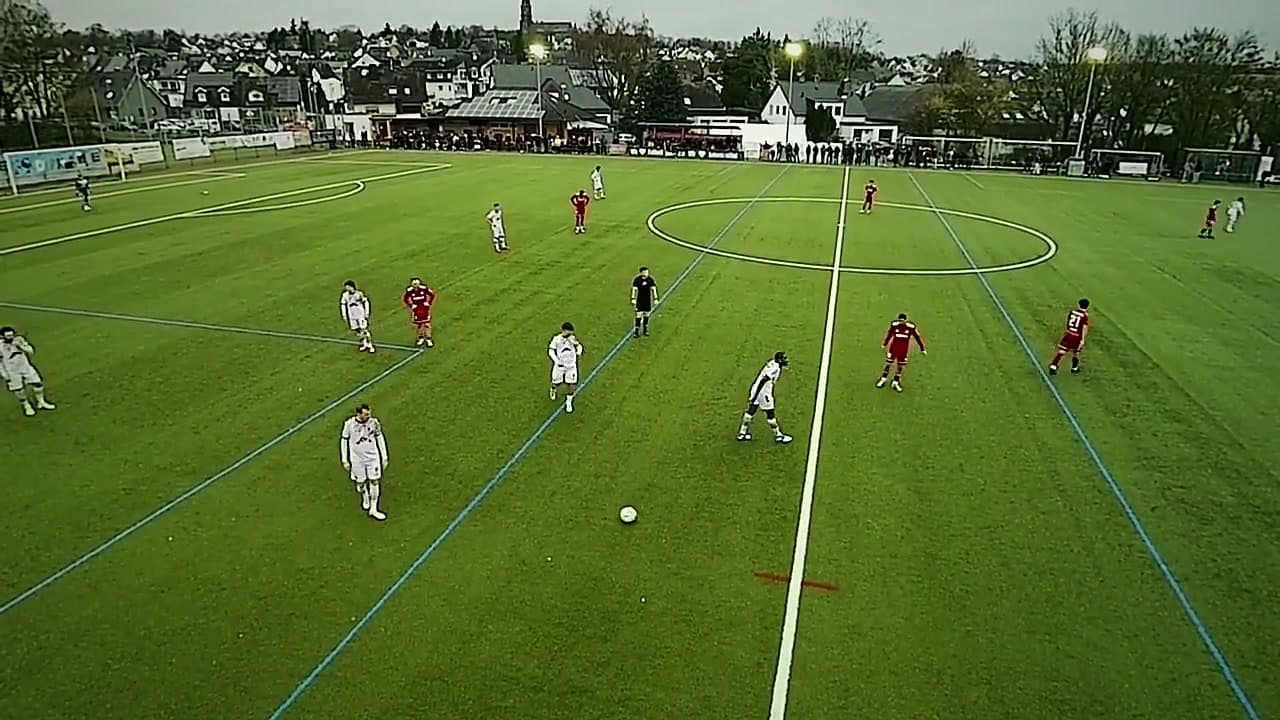
Pick a tool, or press its key like you would in the workspace. Try Z for Zone.
Core tool · Key A
Show the run
Runs and passes. Curve it to show the path, not just the destination: the pass that splits the press, the run that follows it.
02Beyond the frame
Mark it, save it, share it.
The drawing is the point. This is everything that gets it in front of your players.
- 01
YouTube links
Paste any YouTube URL and annotate immediately. No account, no download, no conversion.
Free - 02
Chrome quick access
Open the YouTube video you're watching straight in the workspace. A shortcut, never a requirement.
Free - 03
Timestamped notes
Attach written context to a moment so the drawing isn't the whole message.
- 04
Your own footage
Upload match or training videos with simple drag-and-drop: MP4, WebM, MOV and more.
Coach + - 05
Cloud sync & library
Sessions are saved to your account and reopen on any device, with a library of every clip.
Coach + - 06
Replay links
Share a link that replays your annotations with their original timing.
Coach + - 07
Team collaboration
Invite coaches and staff, set roles, and comment on annotations together.
Team + - 08
Presentation board
Lay the session's annotated frames out on one board for the team review. Built from footage you uploaded.
Team + - 09
Export frames & data
Export the current frame as a PNG from footage you uploaded, or your annotation data as JSON from any source.
Team +
03Keyboard first
Hands on the keys. Eyes on the clip.
Every tool and every review action has a key, so the clip keeps moving while you mark it.
Tools
- SSelect
- MMarker
- AArrow
- ZZone
- OSpotlight
- PPen
- LLine
- CCircle
- EEllipse
- XEraser
Review & editing
- Show shortcuts?
- Toggle review / annotateD
- Play or pause clipSpace
- Toggle focus modeF
- Freeze frame boardB
- Start a new clipN
- Previous noteJ
- Next noteK
- Toggle tools railShiftT
- Toggle feedback railShiftN
- UndoCmd/CtrlZ
- RedoCmd/CtrlShiftZ
- Copy selected noteCmd/CtrlC
- Paste noteCmd/CtrlV
- Duplicate selected noteCmd/CtrlD
- Delete selected noteDelete
- Clear sessionShiftDelete
- Close guide or deselectEsc
04FAQ
Questions coaches ask first.
No. Paste a YouTube link and start drawing. An account is only needed for cloud saving, uploads, and sharing.
Yes. Coach and Team include uploads for common video formats such as MP4, WebM, MOV, and AVI.
Yes. Saved sessions can be shared as replay links so players and staff see the annotations at the correct moments.
Guest work stays in the browser. Signed-in sessions remain private until you deliberately create a replay link.
Video export is not available. Pro can export uploaded frames as PNG and annotation data as JSON.
Ready when you are
Draw your first clip.
Start with the free YouTube workflow, then upgrade when your team needs saved footage, uploads, and collaboration.